

SoftPerfect RAM Disk是一款功能强大的虚拟内存磁盘工具,可以将计算机的一部分内存空间虚拟化为磁盘驱动器,用于临时存储和加速数据访问速度。
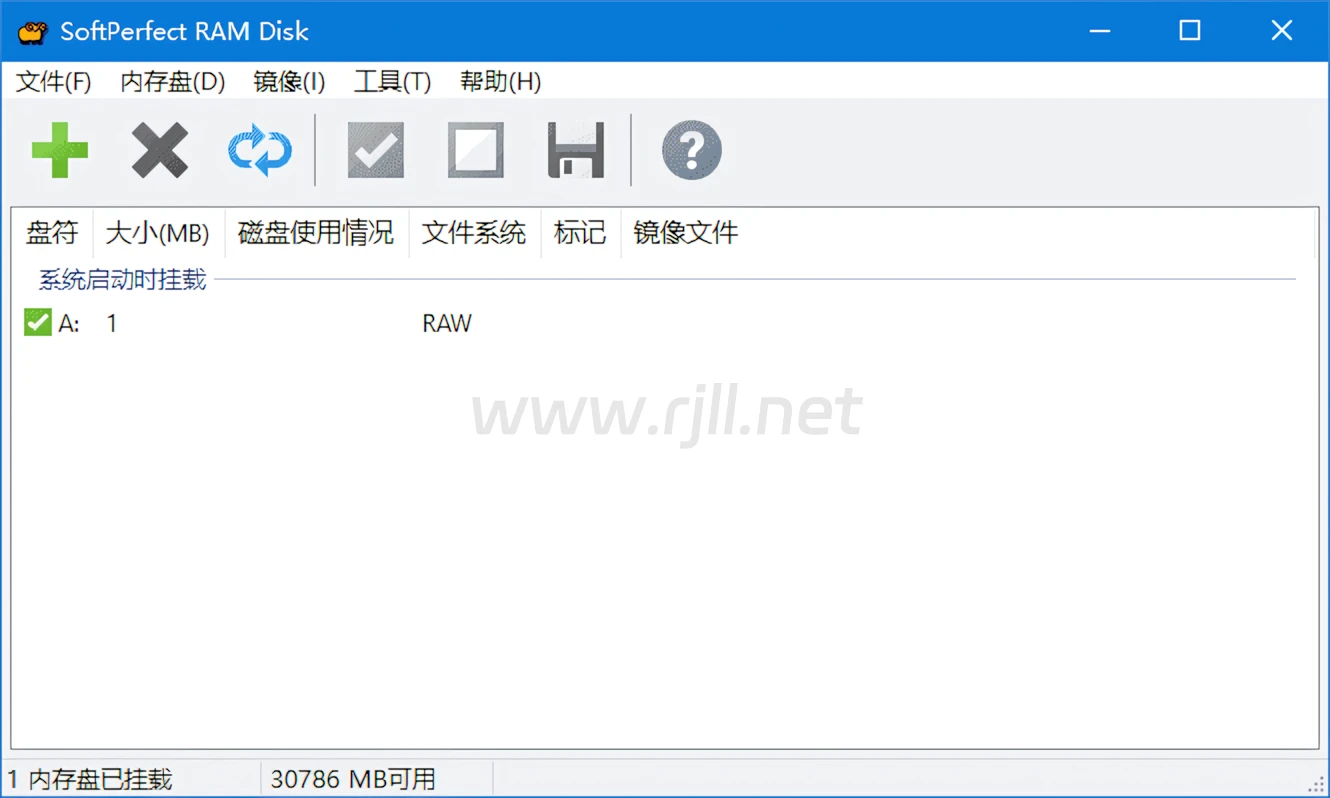
软件功能
将计算机的一部分内存空间虚拟化为磁盘驱动器。
可以创建多个虚拟内存磁盘,每个都具有独立的设置和容量。
支持将虚拟内存磁盘设为固定大小或动态增长。
可以设置虚拟内存磁盘的文件系统类型和格式化选项。
支持在虚拟内存磁盘上存储临时文件、缓存数据等,提高访问速度。
提供监控工具,可以实时查看虚拟内存磁盘的使用情况和性能数据。
可以自动加载虚拟内存磁盘,也可以手动创建和启动。
支持命令行控制和配置。
软件特点
高性能:SoftPerfect RAM Disk利用计算机内存的快速读写速度,能够提供高性能的数据访问速度。
灵活配置:用户可以根据自己的需求和计算机配置,灵活配置虚拟内存磁盘的大小、格式等参数。
简单易用:软件界面简洁明了,操作简单易懂,适合各种用户使用。
资源节约:使用内存作为磁盘驱动器,可以节约计算机硬盘空间,同时提高读写速度。
多功能性:SoftPerfect RAM Disk不仅可以用于存储临时文件和缓存数据,还可以用于加速应用程序的运行和提高系统性能。
更新日志
SoftPerfect RAM Disk - Version History
https://www.softperfect.com/products/changelog.php?product_id=6
v26.4
Added: Customisable tray icon style with three options: colour, white, and black.
Improved: Refined UI with auto-fitting columns and speed display in status bar.
Improved: Internal architecture restructured towards cross-platform support. This release is Windows only; future releases will support Windows, macOS and Linux.
Improved: Driver robustness.
Changed: Configuration import and export now uses JSON instead of XML.
Changed: Volume types simplified by merging logon and boot types into one.
Changed: Licensing and user access control moved to the kernel driver for improved security.
Removed: Drive letter namespace option, as drive letters are now system-managed.
Removed: Auto-run applications feature, as OS startup mechanisms should be used instead.
下载地址
PS:内容均来源于网络,仅供学习与交流,如有侵权,请联系站长rjll2026@foxmail.com删除处理。
本站一切资源不代表本站立场,并不代表本站赞同其观点和对其真实性负责。
本站一律禁止以任何方式发布或转载任何违法的相关信息,访客发现请向站长举报。
本站资源大多存储在云盘,如发现链接失效,请联系我们我们会第一时间更新。rjll2026@foxmail.com

评论(0)
暂无评论