

Office Tool Plus(简称OTP)是一款微软Office办公软件下载、安装、管理的按照部署工具。它可以快速自定义部署,在线下载安装 Office 产品的各个版本,也可以通过已有的离线安装文件来部署Office镜像,同时在安装过程中你可以自由选择安装哪些需要使用的组件, 在安装之后也可以单独来安装某个需要的组件。
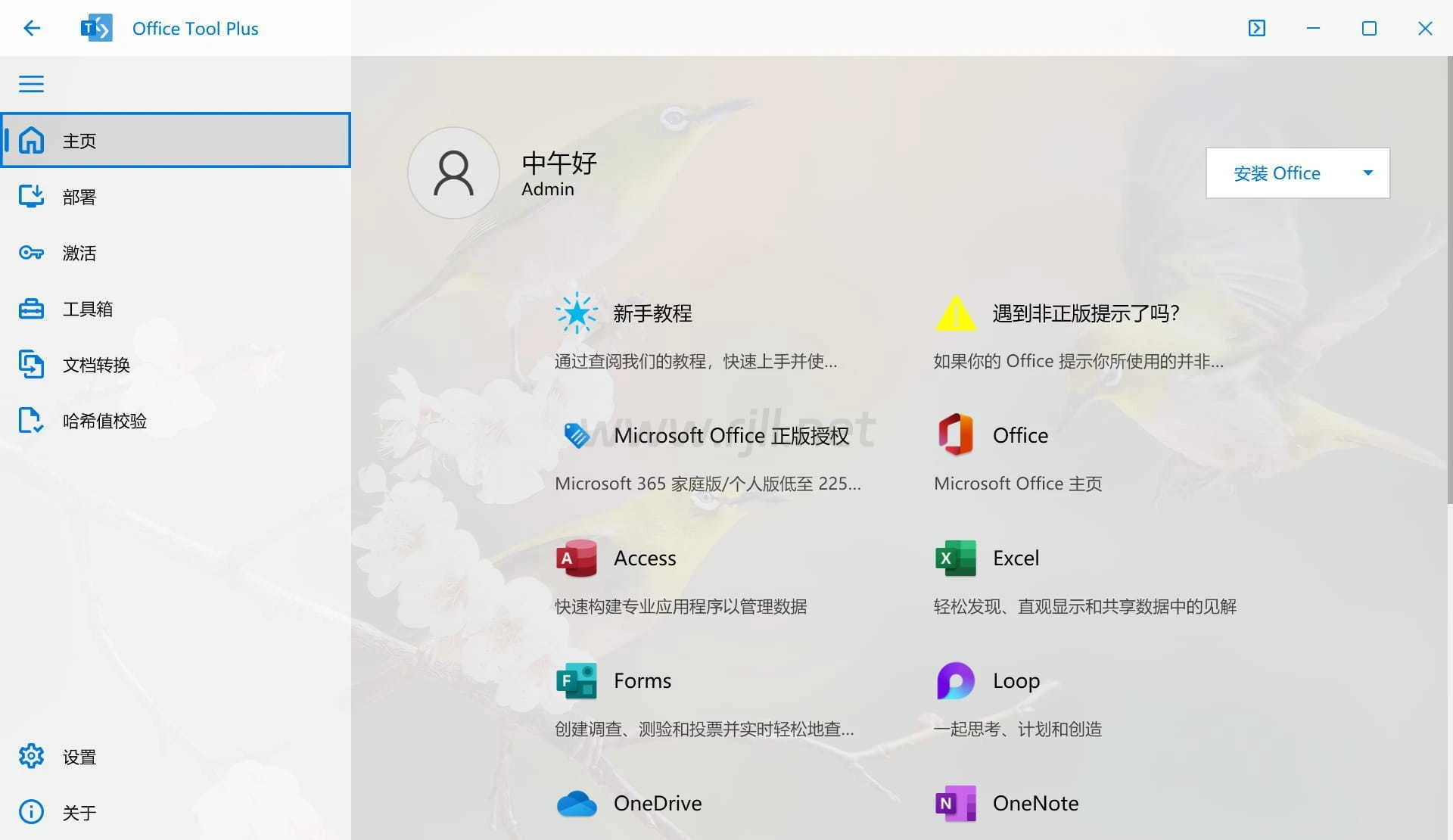
新版变化
Releases · YerongAI/Office-Tool
https://github.com/YerongAI/Office-Tool/releases
Office Tool Plus 是一个用于部署 Office, Visio, Project 的小工具。
Office Tool Plus 基于微软的 Office 部署工具和 官方 OSPP 打造。
支持下列产品:
Microsoft 365
Office 2024、2021、2019、2016、2013
Visio Online Plan 2 & 2024、2021、2019、2016
Project Online Desktop Client & 2024、2021、2019、2016
Office Tool 功能特点
部署 Office(包含下载、安装、激活、管理)
查询通道版本,自定义安装Office产品,语言包
设置优化、修复/重置、导出/导入XML配置文件
添加产品、应用程序、语言包至现有的Office中
卸载Office一个或多个产品、应用程序、语言包
支持在线激活、电话激活、KMS激活
安装、卸载 Office 许可证(转换 Office 版本)
管理 Office 的 KMS 激活,一键清理许可证密钥
更改 Office 的更新通道而无需重新安装 Office
支持批量转换文档:转换Office文档为其它格式
工具箱内置多种小工具助您解决问题
运行要求
.NET 5.0 Desktop Runtime x86
Windows 10, Windows 11, Windows Server 2025
更新日志
Office Tool Plus - Version History
https://github.com/YerongAI/Office-Tool/releases
v11.3.12.0
Change log
Update Downloader to v5.2.0, fixed the issue of potential file corruption.
Fixed an issue that Office Tool Plus.Console failed to verify signature.
Fixed an issue where message notifications could cause keyboard focus to shift erratically.
Homepage
The rendering quality of the icons has been improved.
Deploy
To ensure system security, we will now enforce verification of the digital signature of Office installers.
Added support for the TenantId property.
Fixed an issue where Property elements in XML could not be read correctly.
Fixed an issue where system disk permissions were not correctly detected in some cases.
The Office Bitness identifier has been corrected to unify Office Bitness into x86 and x64, without distinguishing between ARM versions.
Toolbox
When you remove Office, the registry key HKEY_LOCAL_MACHINE\SOFTWARE\Policies\Microsoft\Cloud\Office will now be deleted.
When you remove Office, the registry key HKEY_USERS\
Settings
Windows Server 2022 has been added as an optional Windows version for downloading Office.
下载地址
PS:内容均来源于网络,仅供学习与交流,如有侵权,请联系站长rjll2026@foxmail.com删除处理。
本站一切资源不代表本站立场,并不代表本站赞同其观点和对其真实性负责。
本站一律禁止以任何方式发布或转载任何违法的相关信息,访客发现请向站长举报。
本站资源大多存储在云盘,如发现链接失效,请联系我们我们会第一时间更新。rjll2026@foxmail.com

评论(0)
暂无评论