
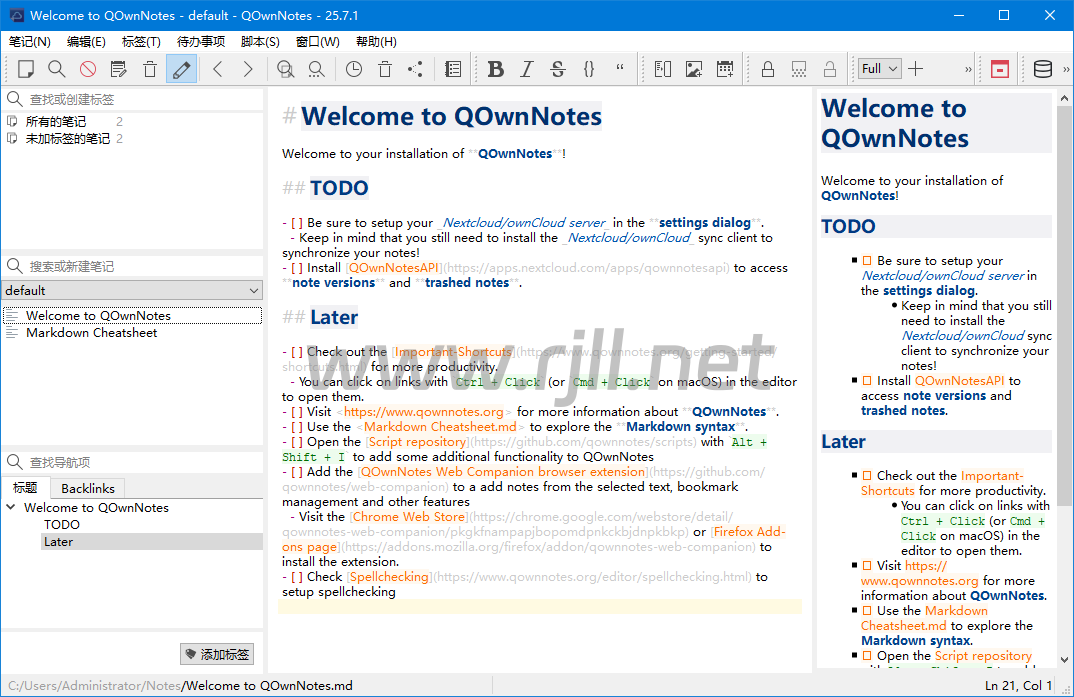
QOwnNotes 是一款开源且功能强大的笔记应用,专为那些需要跨平台支持和高度自定义的用户设计。它结合了笔记管理、任务清单和代码片段管理的功能,支持在不同设备和操作系统上同步数据。QOwnNotes 提供了 Markdown 编辑器、加密支持以及与 Nextcloud 集成的能力,使其成为一款非常适合开发者、学生和商务人士使用的笔记工具。无论是记录会议内容、管理项目任务,还是写作笔记和文档,QOwnNotes 都能提供高效且安全的工作环境。
官方 地址:https://www.qownnotes.org
功能介绍
开源与免费使用
QOwnNotes 是一款完全开源的笔记应用,用户可以免费下载和使用,且代码可以自由查看和修改,确保透明性和可靠性。
Markdown 编辑器
内置强大的 Markdown 编辑器,支持丰富的格式设置和实时预览,适合需要进行格式化文本和代码书写的用户,增强写作和文档管理效率。
跨平台同步
支持 Windows、macOS、Linux 操作系统,并且能够与 Nextcloud 和其他云存储服务无缝同步,确保在不同设备上随时访问和更新笔记内容。
任务管理与待办事项
QOwnNotes 提供任务清单功能,用户可以轻松管理待办事项,设置提醒,进行任务分配和进度跟踪,帮助用户更好地组织日常工作。
笔记加密与安全保护
支持对笔记内容进行加密,确保敏感信息的安全性。加密笔记只会在本地解密,避免数据泄露的风险。
代码片段管理
提供代码片段管理功能,用户可以在笔记中保存、格式化和高亮显示编程代码,支持多种编程语言的语法高亮,适合开发人员使用。
标签与分类管理
支持笔记的标签和分类管理,用户可以为笔记添加标签,按主题、项目或重要性进行整理,快速定位需要的内容。
丰富的导出选项
支持将笔记导出为多种格式,如 HTML、PDF、Markdown 等,方便用户分享或备份内容,适用于多种文档发布和存档需求。
集成云同步功能
与 Nextcloud 无缝集成,支持在云端同步笔记内容,确保多个设备间的数据一致性,便于跨平台协作。
支持脚本与插件扩展
支持脚本和插件扩展,用户可以根据需求增加自定义功能,如自动化操作、格式转换等,满足个性化使用需求。
强大的搜索功能
提供快速搜索功能,用户可以在大量笔记中迅速找到所需内容,支持全文搜索、标签过滤等多种搜索方式。
夜间模式与界面自定义
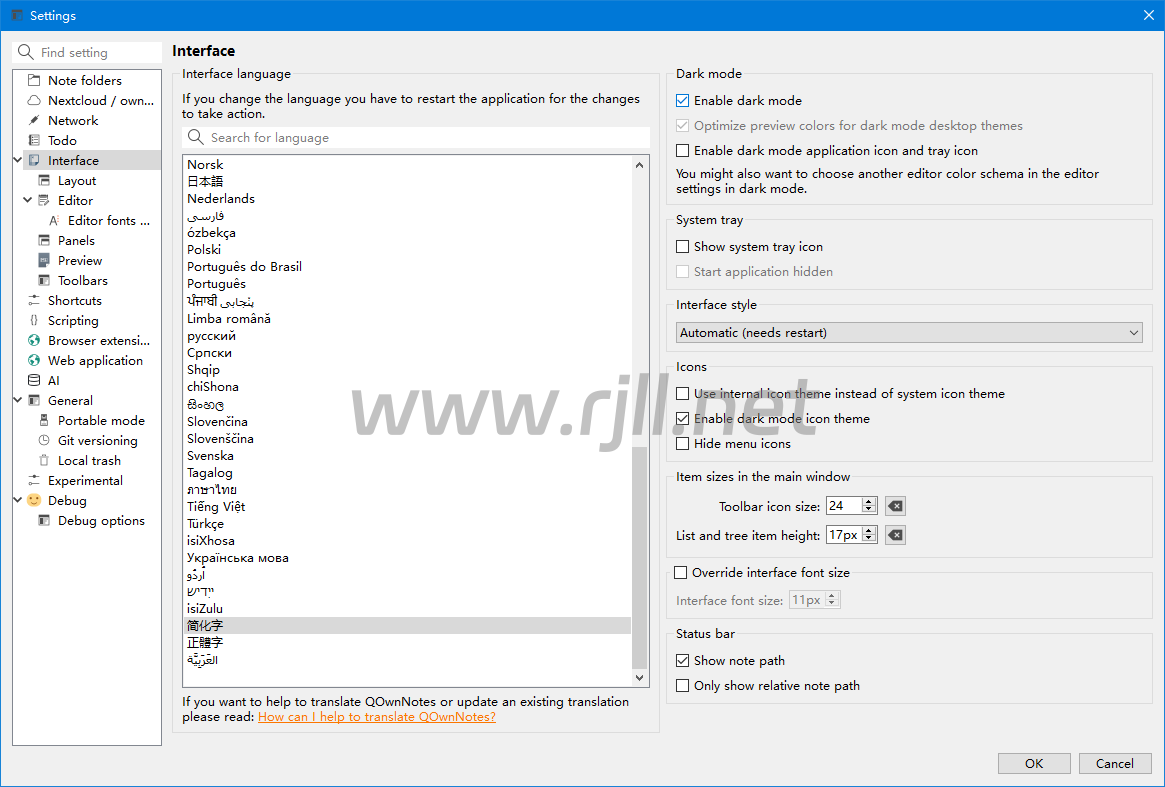
提供夜间模式和丰富的界面自定义选项,用户可以调整界面的颜色、字体和布局,获得更加舒适的阅读和写作体验。
定期备份与恢复功能
支持定期自动备份功能,确保笔记内容不会丢失,用户可以随时恢复历史版本,保障数据的安全性和完整性。
多语言支持
支持多语言界面,适合全球用户,用户可以选择自己熟悉的语言进行操作,提高使用体验。
实时笔记同步与协作
实现多人协作功能,通过云同步和共享笔记,可以与团队成员共享任务列表和笔记内容,提高团队工作效率。
更新日志
26.3.25
Improved block selection (rectangular selection) so that it can now extend
wider than the first selected line; the selection rectangle is no longer
clamped to the width of the anchor line's text, allowing the right edge to
be dragged further right even when the starting line is short
(for #2935)
Scripting: note.renameNoteFile() now seamlessly switches the editor to
the renamed note when it is the currently open note, so scripts that
programmatically rename notes (e.g. to apply an ISO-date filename scheme)
keep the user in the right note without any manual navigation
(for #3527)
Added a new highlighter state Link (internal) for internal note links
(like [text](note.md),
and color settings; this allows styling internal note links differently from
regular external links in the note text edit and the preview; the Link
state is used as a fallback if the new state is not configured in the color schema;
bare legacy note:// links (e.g. note://Note_2018_06_26T22_11_10) that are
written without angle brackets are now also rendered as clickable links in the
preview and styled with the internal link color
(for #2914)
The wiki link highlighter states Wiki link and Wiki link (broken) are
now hidden in the editor font and color settings dialog when wiki link support
is disabled (for #3512)
The LanguageTool integration now always ignores the typography warning
Possible typo: you repeated a whitespace, because Markdown lists
intentionally use repeated spaces for indentation; findings from that
specific rule are no longer underlined in the editor
(for #3496)
Added support for Markdown image dimensions using curly-brace attribute
syntax like { width=300 height=200 }; the attributes
are rendered with masked syntax in the editor and are applied to the preview,
including the QLiteHtml preview, where they overrule the automatic image
width sizing; the small inline image preview in the editor is also shown
when the image tag with dimension attributes is the last item in the block
(for #2898)
下载地址
PS:内容均来源于网络,仅供学习与交流,如有侵权,请联系站长rjll2026@foxmail.com删除处理。
本站一切资源不代表本站立场,并不代表本站赞同其观点和对其真实性负责。
本站一律禁止以任何方式发布或转载任何违法的相关信息,访客发现请向站长举报。
本站资源大多存储在云盘,如发现链接失效,请联系我们我们会第一时间更新。rjll2026@foxmail.com

评论(0)
暂无评论